
Loading…
Parishioner
Your pictureHow the parish sees you
A picture is part of your profile. Upload one from your phone, or choose the parish's logo instead; either one completes it.
Your detailsWhat the parish needs on file
Fields marked * are needed for the roster and for emergencies. Nothing here is shown to other members; the officers see it.
Your record at SupremeWhat the Knights of Columbus has on file for you
This comes from Supreme's own roster and billing extracts, which the parish loads each month. If something is wrong, ask for a correction here; the Parish Secretary keys it at Supreme and the next extract confirms it.
Safe EnvironmentOne quick question
How to get your certificate from Virtus Online (about 3 minutes)
- Go to virtusonline.org and sign in with the User ID and password you used for your training. Forgot them? Press the blue I NEED LOGIN HELP button on that page.
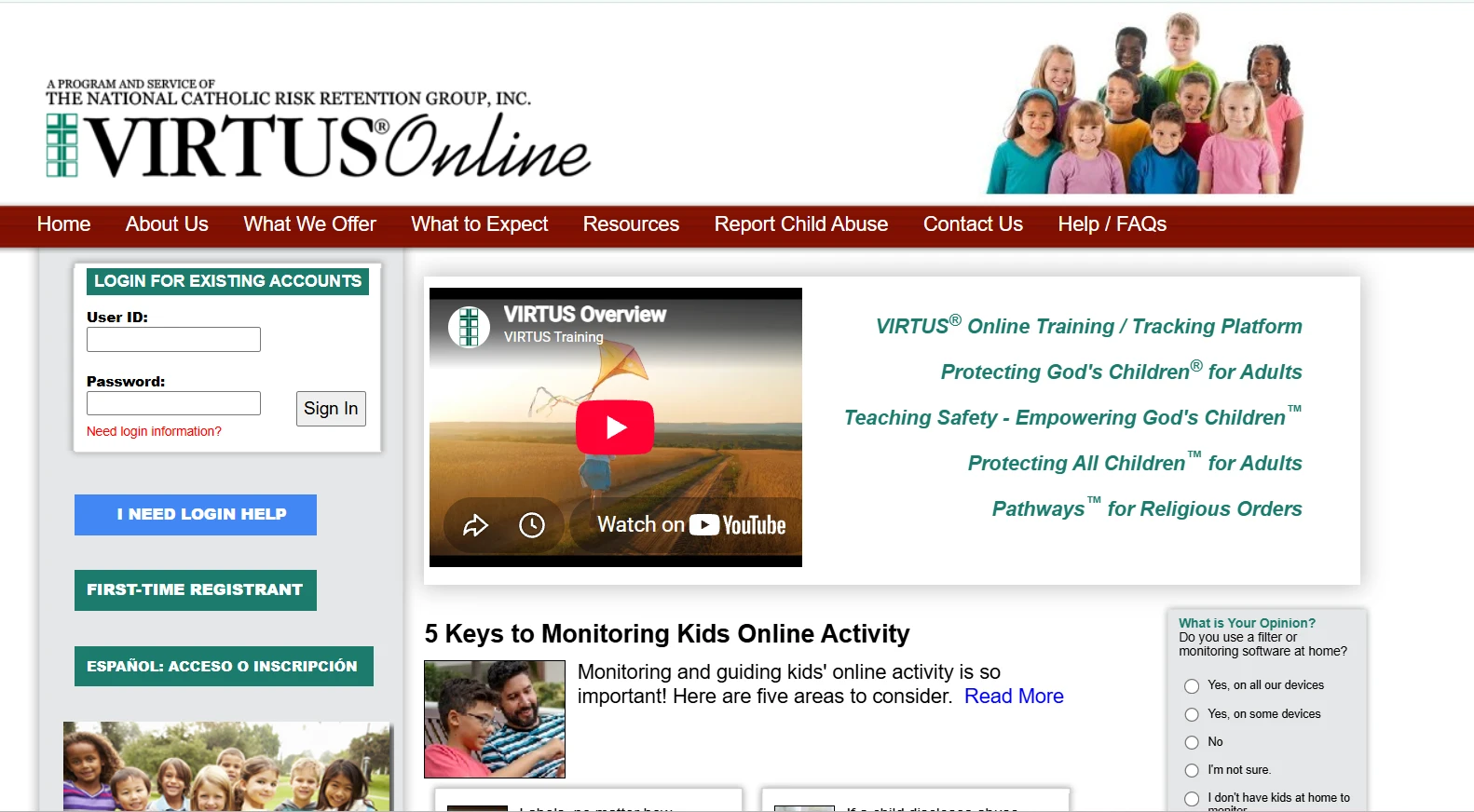
- On your Home page, find the box called "Compliance Summary" and press the word Details under it.
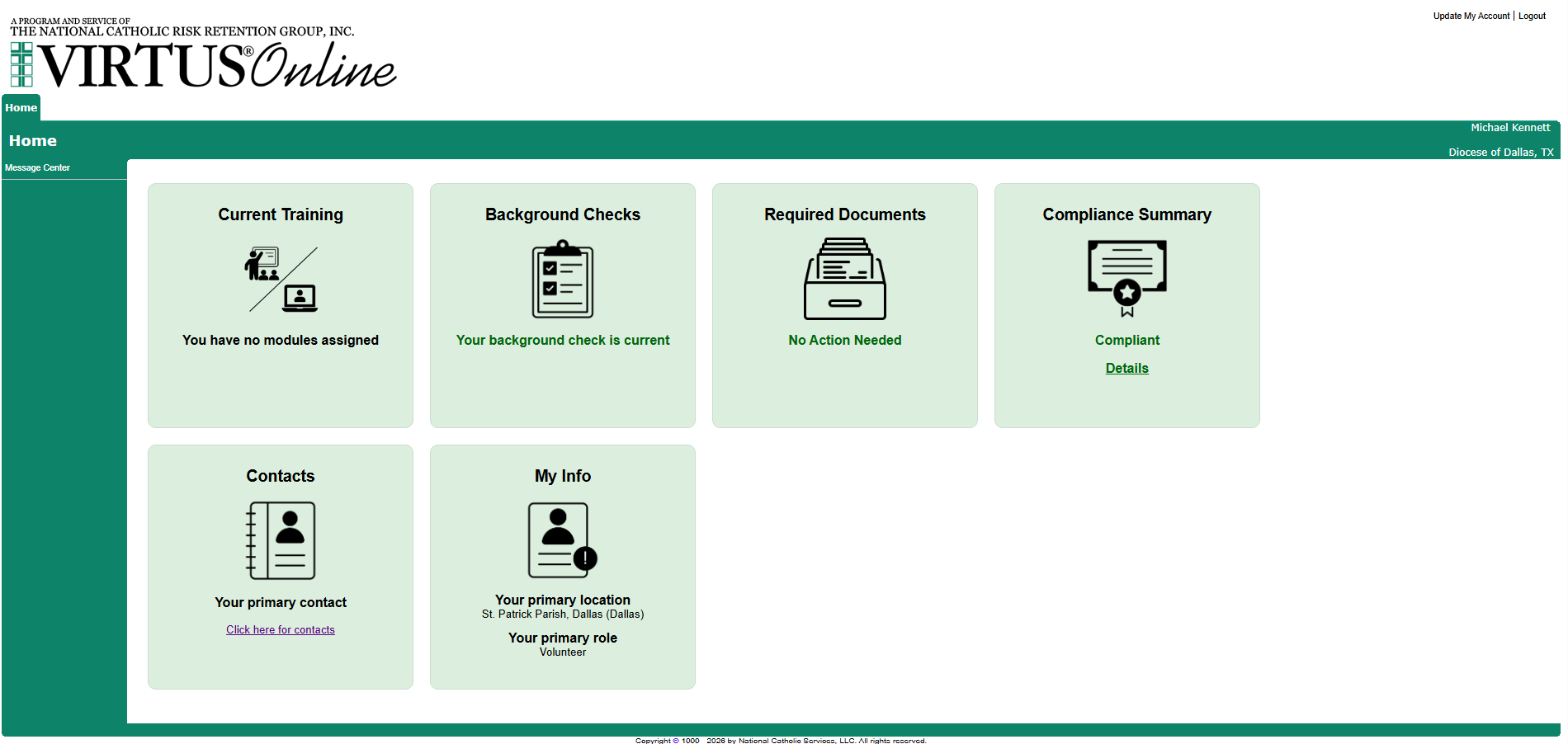
- Press "Print my Certificates" at the top of the Compliance Summary page. (If you would rather send a picture, take a screenshot of this page: it shows your name and the dates.)
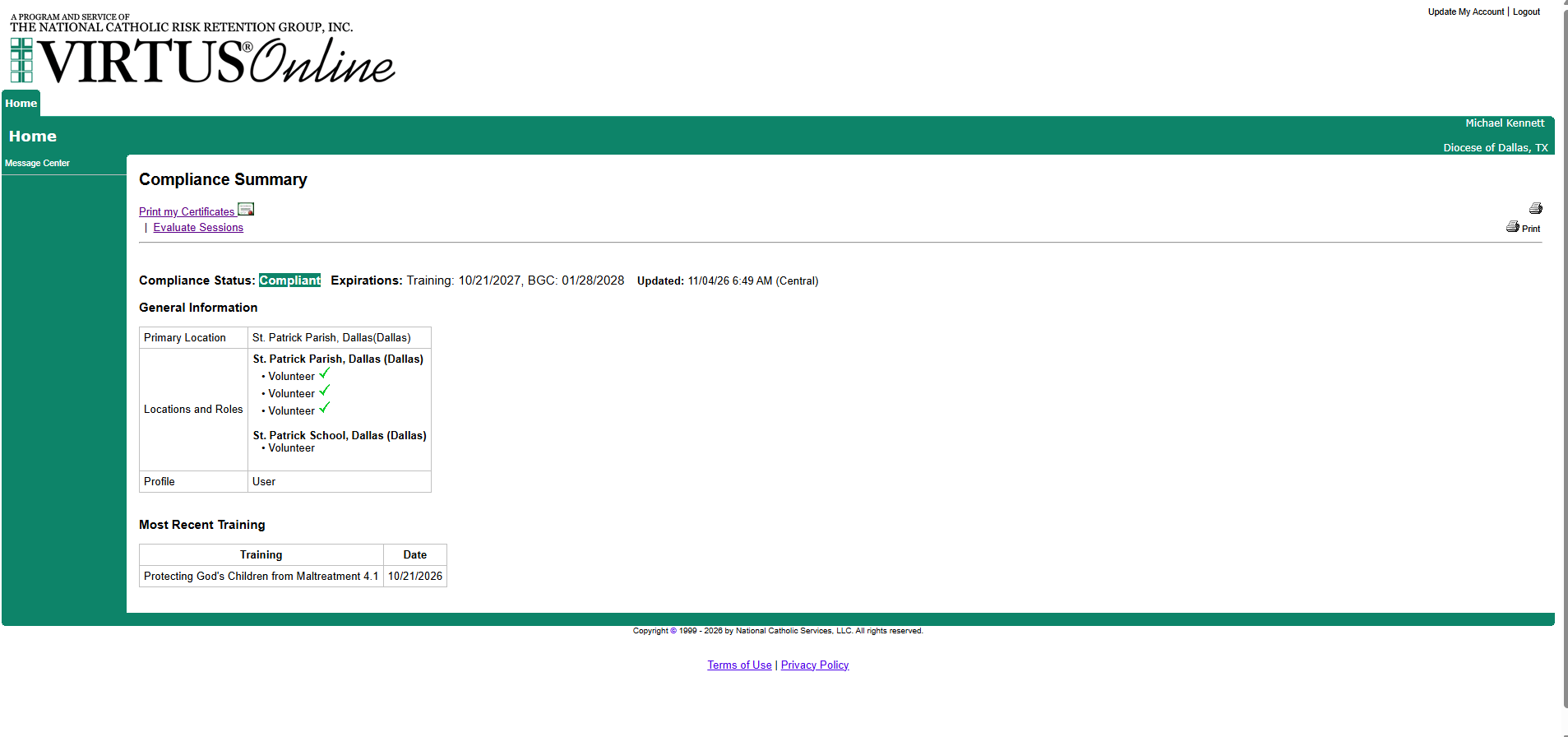
- Press the little certificate picture on the newest training row. Your certificate opens as a PDF. Save it (on a phone, choose Save to Files; on a computer it goes to Downloads as DownloadCertificate.pdf).
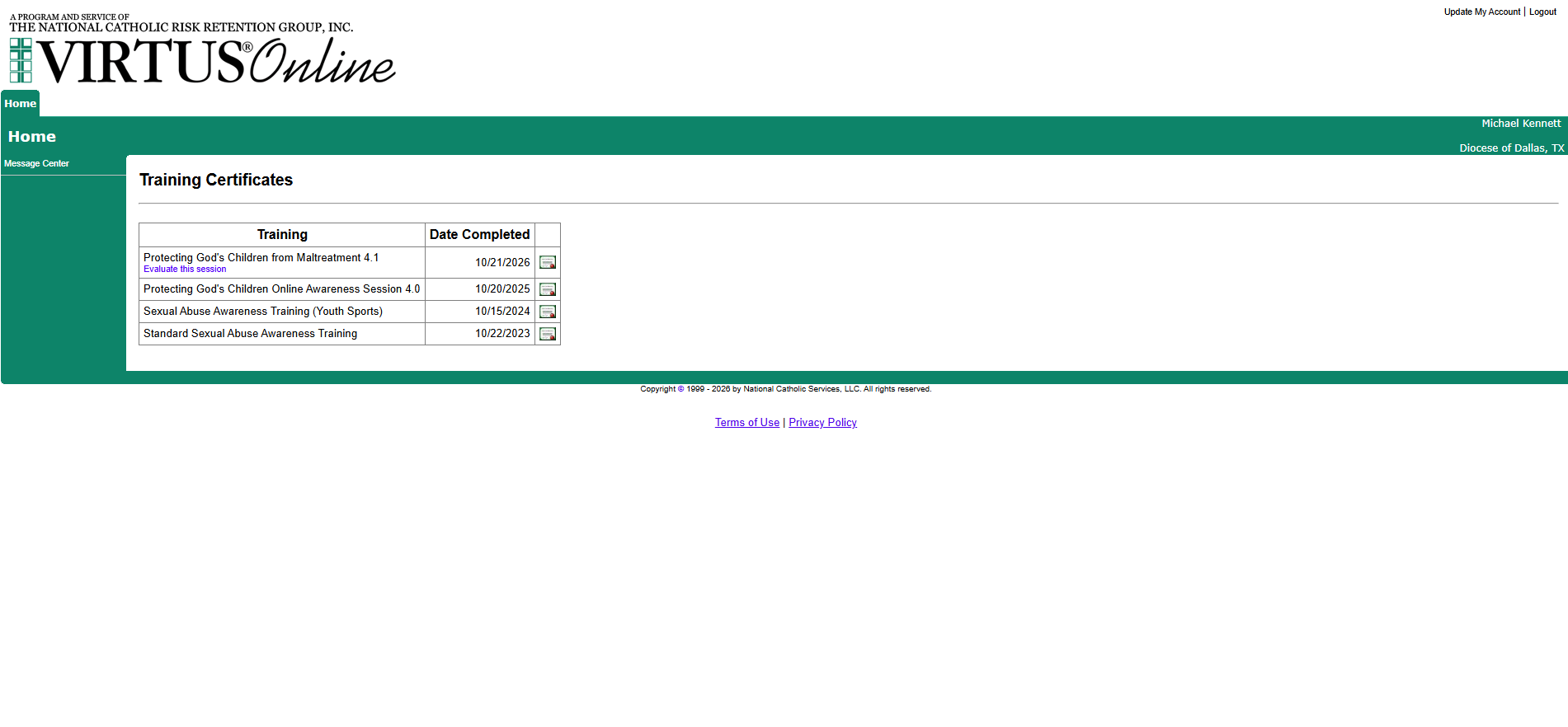
- Come back here and press "Upload my certificate" below. Pick the file you just saved, enter the date on it, and press Upload. An officer checks it and you get an email.
Never done the training? Press FIRST-TIME REGISTRANT on virtusonline.org, choose the Diocese of Dallas, and take the online session "Protecting God's Children". It takes about an hour. Then follow the steps above. The full plain-English guide is here.
Safe EnvironmentYour training on file
The Diocese and the Supreme Council both require Safe Environment training for Knights who serve at events with young people, and the parish keeps the proof on file with your member number. Upload the certificate from Virtus Online, or a photo or screenshot of your Virtus Training Certificates or Compliance Summary page that shows the date.